
Don’t buy a tablet. You own one.
Draw.
Pressure, tilt and hover from Apple Pencil, straight into the app you draw in.
Your iPad becomes the tablet and your Apple Pencil the pen. Lean in for a heavier line, tilt for the side of the brush, hover to see where you’ll land. It all goes straight into the app you draw in.
Set how
hard is hard.
Drag the curve to match your hand. Soft gives a light touch a full stroke. Firm saves the heaviest lines for when you lean in. The same curve lives in the companion on your computer.
All of Apple Pencil Pro.
On your computer.
Six signals reach the app you draw in. Set what squeeze and double-tap do: undo, right-click, or any key you like.
Squeeze → any key
Point at the iPad.
Land on your screen.
Put the whole screen under your Pencil, or just the corner you’re inking. Keep shape keeps your circles round. Mouse mapping is there for menus and quick nudges.
Screen mapping
A display or a region. Every spot on the iPad lands on the same spot.
Mouse mapping
Relative movement, like a trackpad. Handy for menus and quick nudges.
Five surfaces.
Or your own.
Start from one of five, then make it yours: background, warmth, dots, grid and pen glow, all in Look. Tap one to put it on the iPad above.
See your
screen.
Flip to Display mode and your computer’s screen lands on the iPad. Mirror it and paint straight onto the canvas, or extend it and give the canvas a screen of its own. Same purchase.
Draw on
the screen itself.
Flip to Display mode and your computer’s screen lands on the iPad. Mirror it and paint straight onto the canvas, or extend it and give the canvas a screen of its own. Same purchase.
Work
faster.
Keys under your thumb, apps on a squeeze, words written by hand.
Your free hand,
sorted.
Space, ⌘, ⌥, ⇧ and ⌃ sit right under your thumb. Switch apps on your computer and the app keys switch with you. A Photoshop set comes built in.
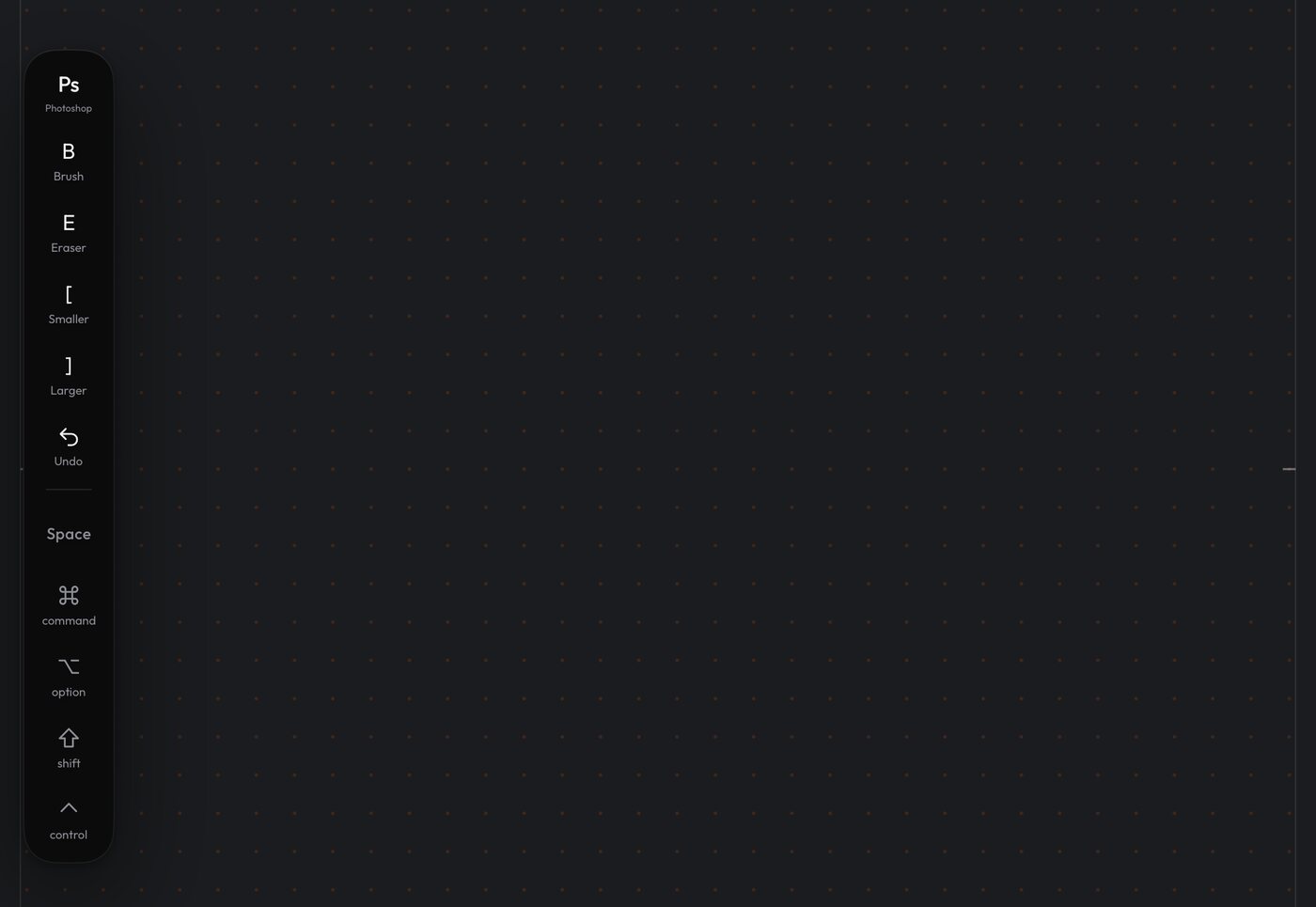
- WheelSqueeze, tap an app, it opens on your computer.
- HoldSpace ⌘ ⌥ ⇧ ⌃
- SetsA Photoshop set, built in.
Write by hand.
It arrives as text.
Open the ink pad, write a word, and it's typed into the app in front on your computer: a layer name, a file name, a search.
The free companion
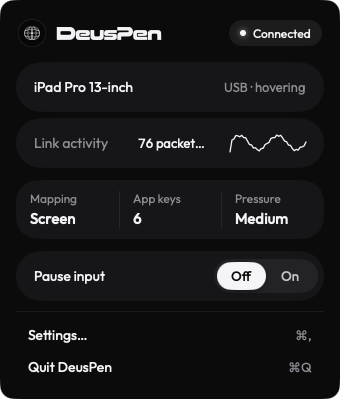
Out of the way until you need it.
The free companion sits quietly on your Mac, PC or Linux machine. Nudge the pressure curve, change mapping, or pause the Pencil when you step away for a coffee.
Get the companionEvery spot lands on the same spot
The iPad maps to your whole display, keeping its 4:3 shape so circles stay round. Or stretch it edge to edge, or give it one region of the screen.
See mapping optionsMac. Windows. Linux.
One price.
Mac, Windows and Linux. Free for 7 days, then $14.99, once.
Desk or sofa.
Your call.
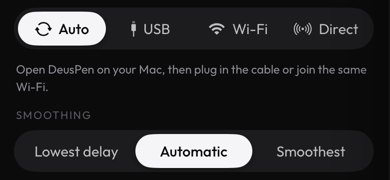
Plug in USB-C at your desk, or draw from the sofa over your own Wi-Fi. Auto route picks the better link, Smoothing sets how the stroke feels, and Deus XT reconnects on its own after sleep.
One cable. The steadiest link.
Same network. No cable.
Mac, Windows
and Linux.
Both modes.
One price.
Astropad sells a screen-off tablet and a mirroring app separately. Duet and Astropad Studio charge every year. Deus XT does both, for $14.99 once, on Mac, Windows and Linux.
- Deus XT$14.99
- Astropad Slate$19.99
- Duet Pro$215.64
- Astropad Studio$299.97
| Astropad Studio | Astropad Slate | Duet Pro | |
|---|---|---|---|---|
| Price | $14.99 once | $99.99 a year | $19.99 once | $71.88 a year |
| Tablet mode | – | – | ||
| Display mode | – | |||
| Squeeze and barrel roll | Not listed | Not listed | ||
| Handwriting to text | – | – | ||
| Mac, Windows and Linux | Mac, Windows | Mac | Mac, Windows |
Prices and features from each maker’s site and App Store listing, checked October 2026.
Pay once.
Keep it.
$14.99Once
Try it free for 7 days. No subscription, everything below included, and the companion on your computer is free.
Try it freeEverything included
- Pressure, tilt, hover and barrel roll
- USB-C and Wi-Fi, with Auto route and Smoothing
- Pencil Pro squeeze, double-tap and barrel roll
- Hold keys, and app keys that follow the app in front
- Handwriting to text
- The app launcher wheel
- Five surfaces, or make your own
- Screen and Mouse mapping
- Display mode: mirror or extend
- The free companion for your computer
Stuck?
Start here.
Help Center
Is it a subscription?
No. Try it free for 7 days, then $14.99 once on the App Store. The companion on your computer is free.
Is there a free trial?
Yes. Seven days with everything included. Keep it for $14.99, once.
What do I need?
An iPad on iPadOS 18 or later with an Apple Pencil that has pressure (1st generation, 2nd generation or Pro), and a Mac with Apple silicon on macOS 15 or later, a Windows PC or a Linux computer. See Compatibility for the full list.
Which apps work?
Tested in Photoshop. Krita is partly tested. Compatibility lists each app as Tested, Partly tested or Not yet tested.
Windows or Linux?
Both. The free companion runs on Mac, Windows and Linux. Get it here.
Do I need the internet?
Only to buy and download. Drawing runs over USB-C or your own Wi-Fi.
Can I get a refund?
Yes, through Apple. Our Refunds page shows the steps.
Six steps on the iPad.
Then you draw.
The welcome walks you through everything, including the two permissions. Pairing shows the same code on both screens, so you know you've connected to your own computer.
The code shown is an example. Each pairing shows its own.